

How to Leave a Photo Review (Amazon, Etsy & TikTok)
Thank you for your order! A review with a photo helps other customers and means a lot to our small business. Pick the store you ordered from and follow the red arrows in each screenshot. Tap any picture to see it bigger.
Jump to: Amazon | Etsy | TikTok
Amazon (5 steps)
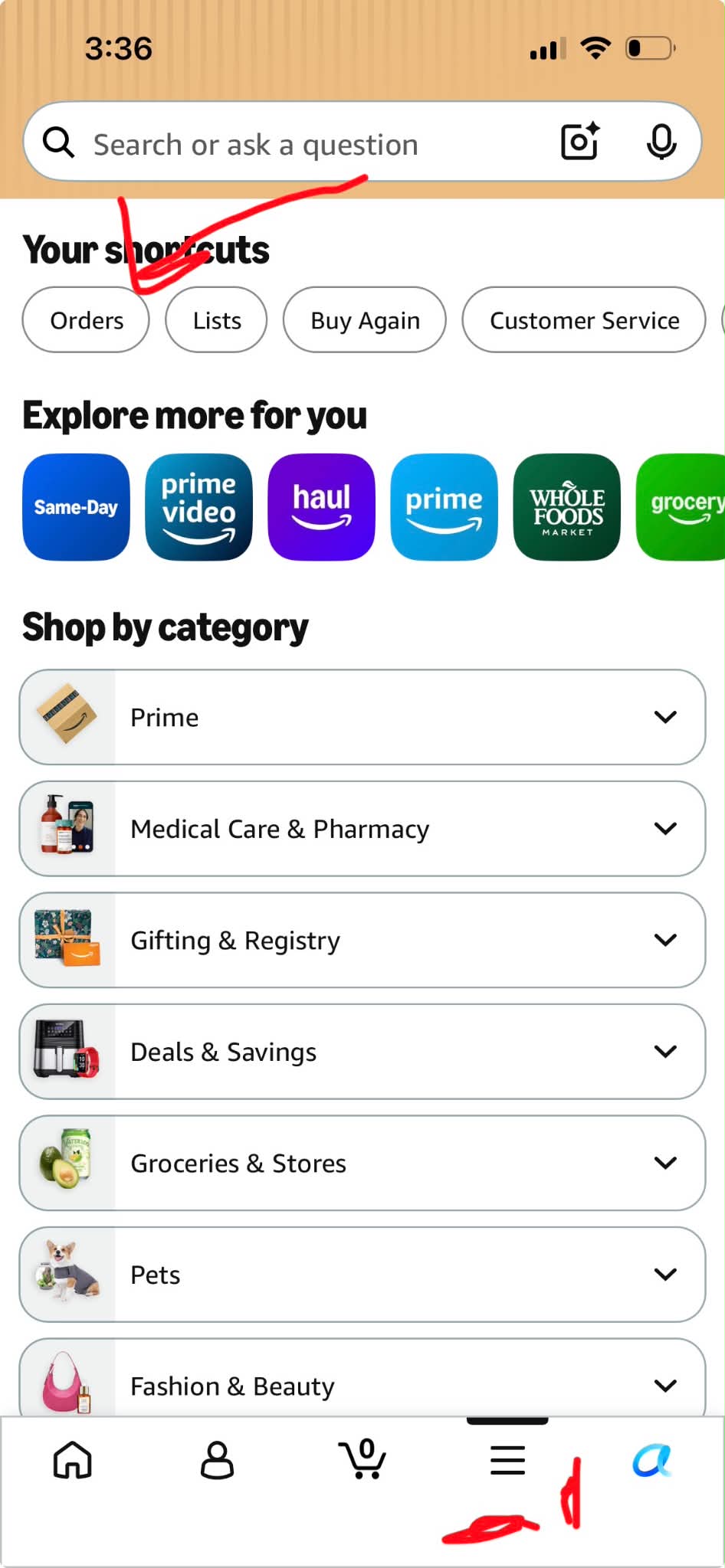
Step 1: Open the Amazon app and tap “Orders”
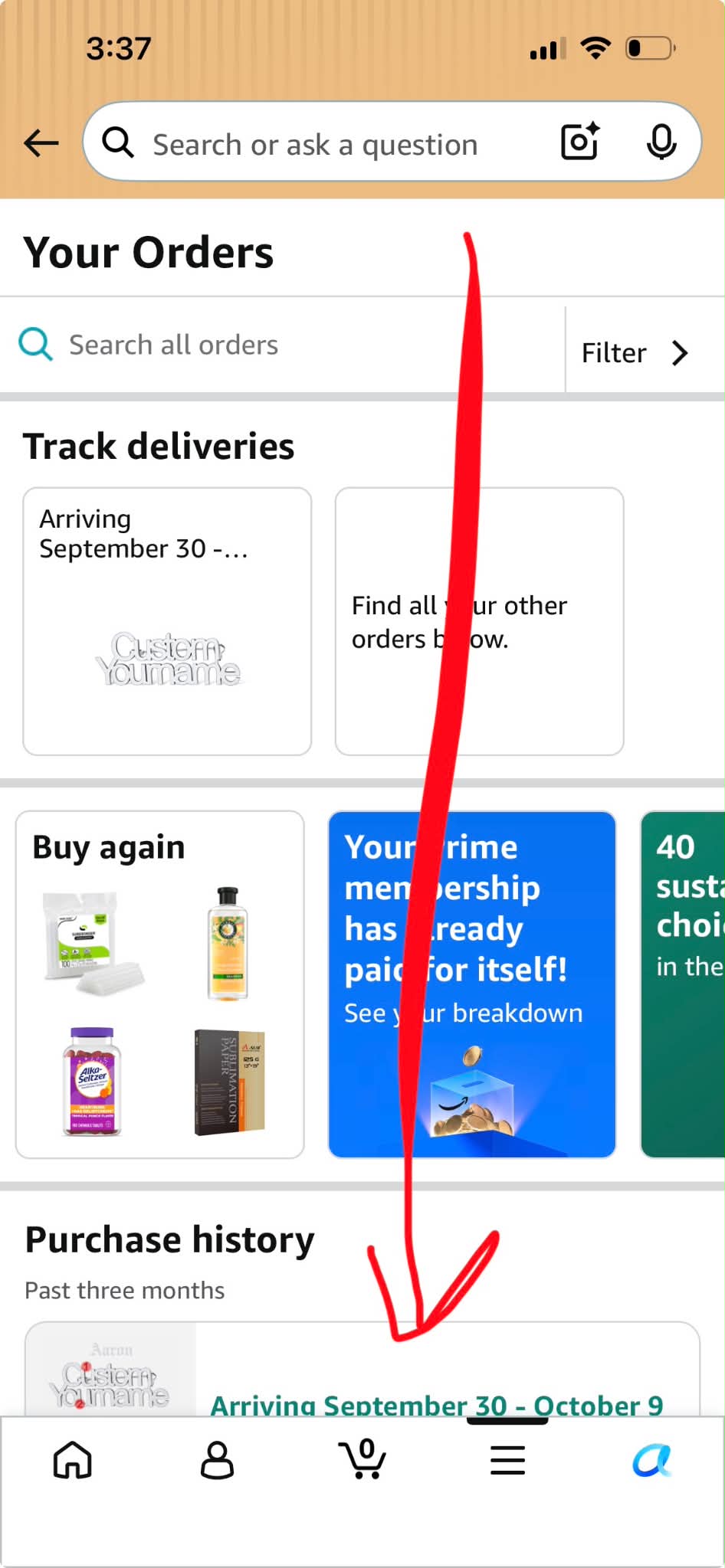
Step 2: Find your SUITUX order and tap it
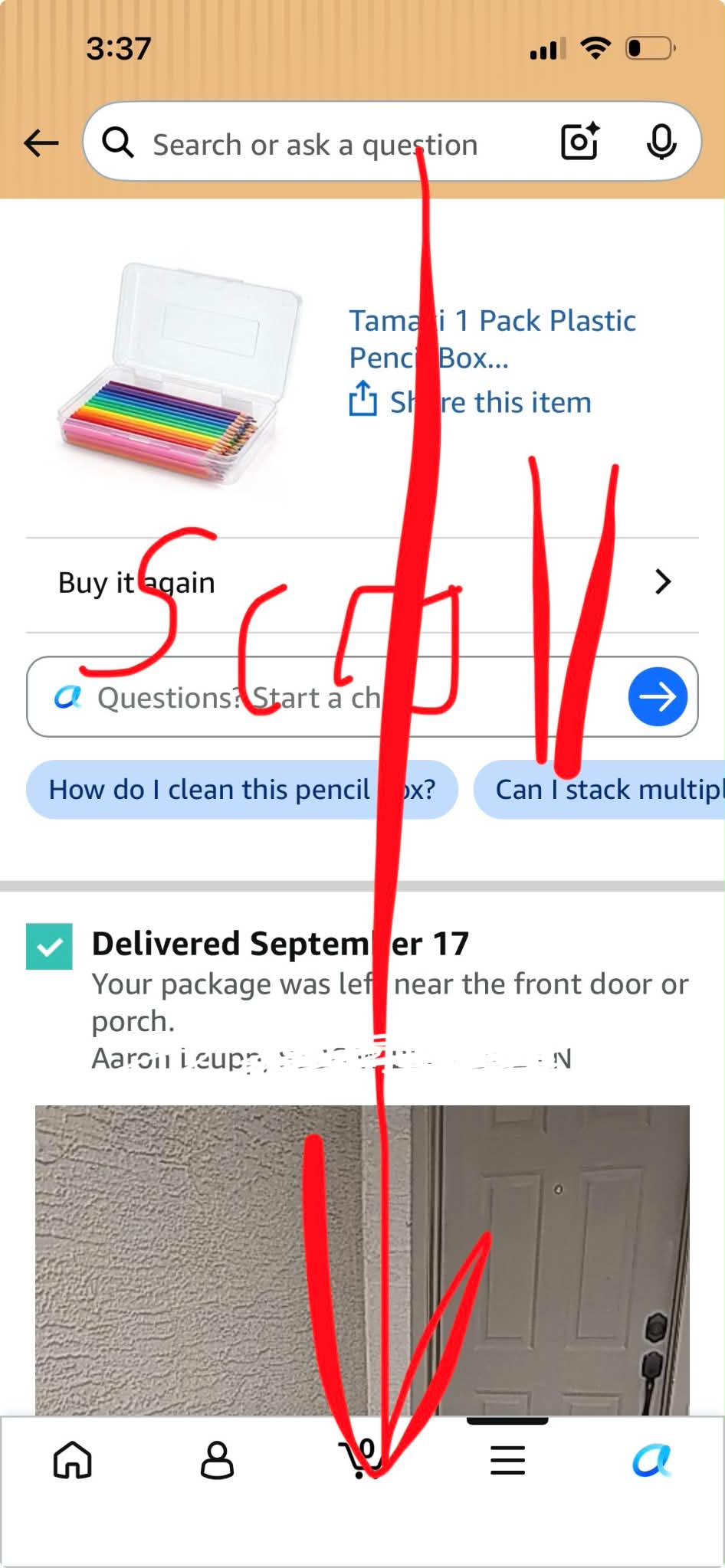
Step 3: On the order page, scroll down
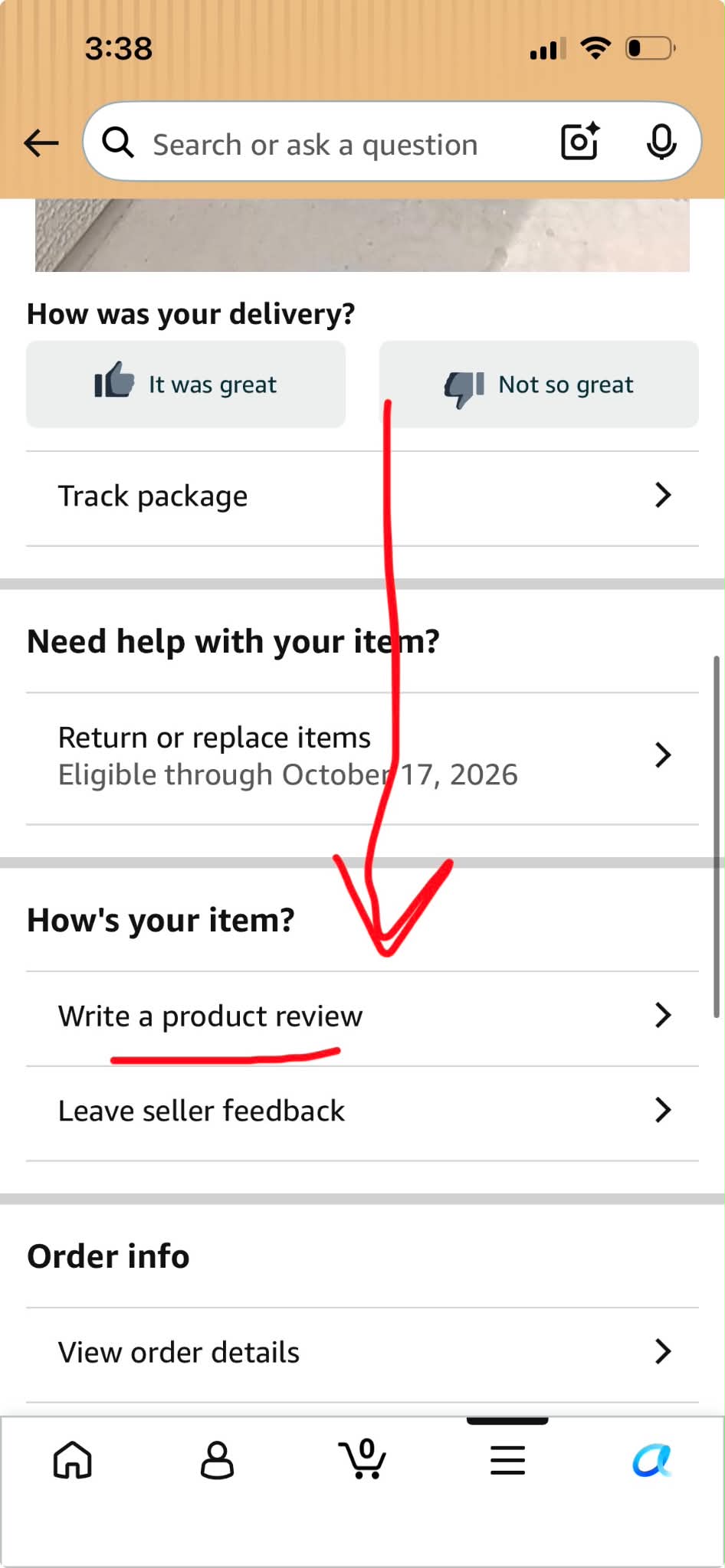
Step 4: Tap “Write a product review”
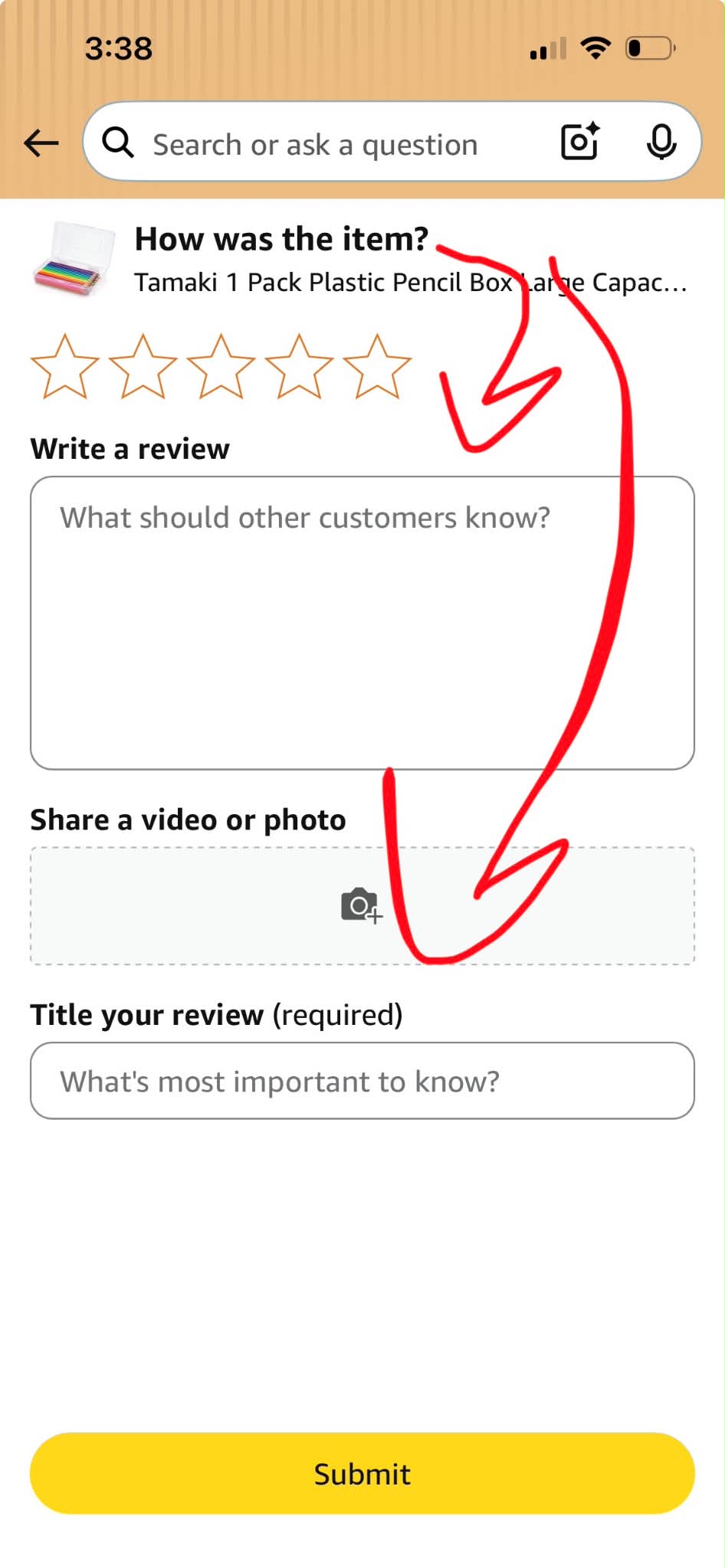
Step 5: Pick your stars, tap “Share a video or photo” to add your pictures, write a few words, then tap “Submit”
Etsy (2 steps)
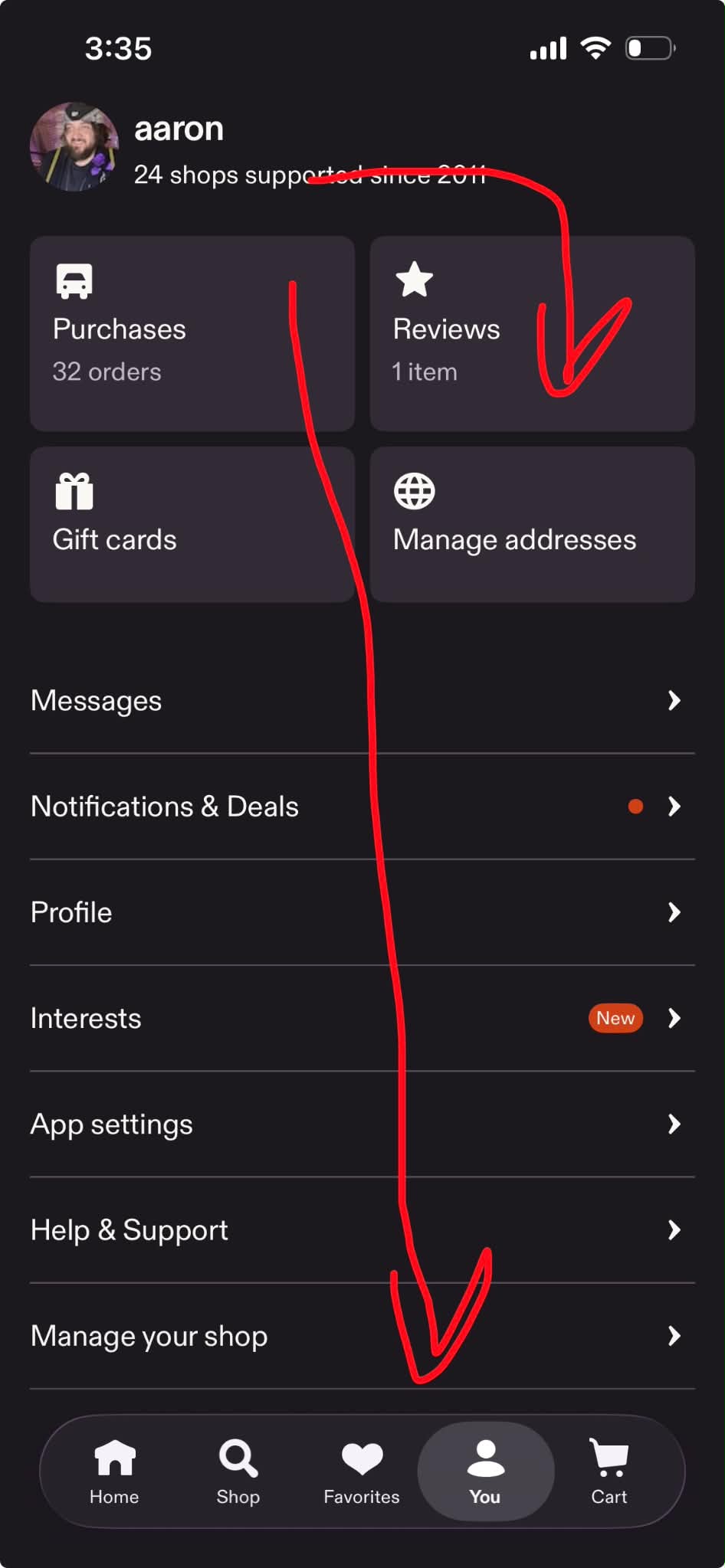
Step 1: Open the Etsy app, tap “You” at the bottom, then tap “Reviews”
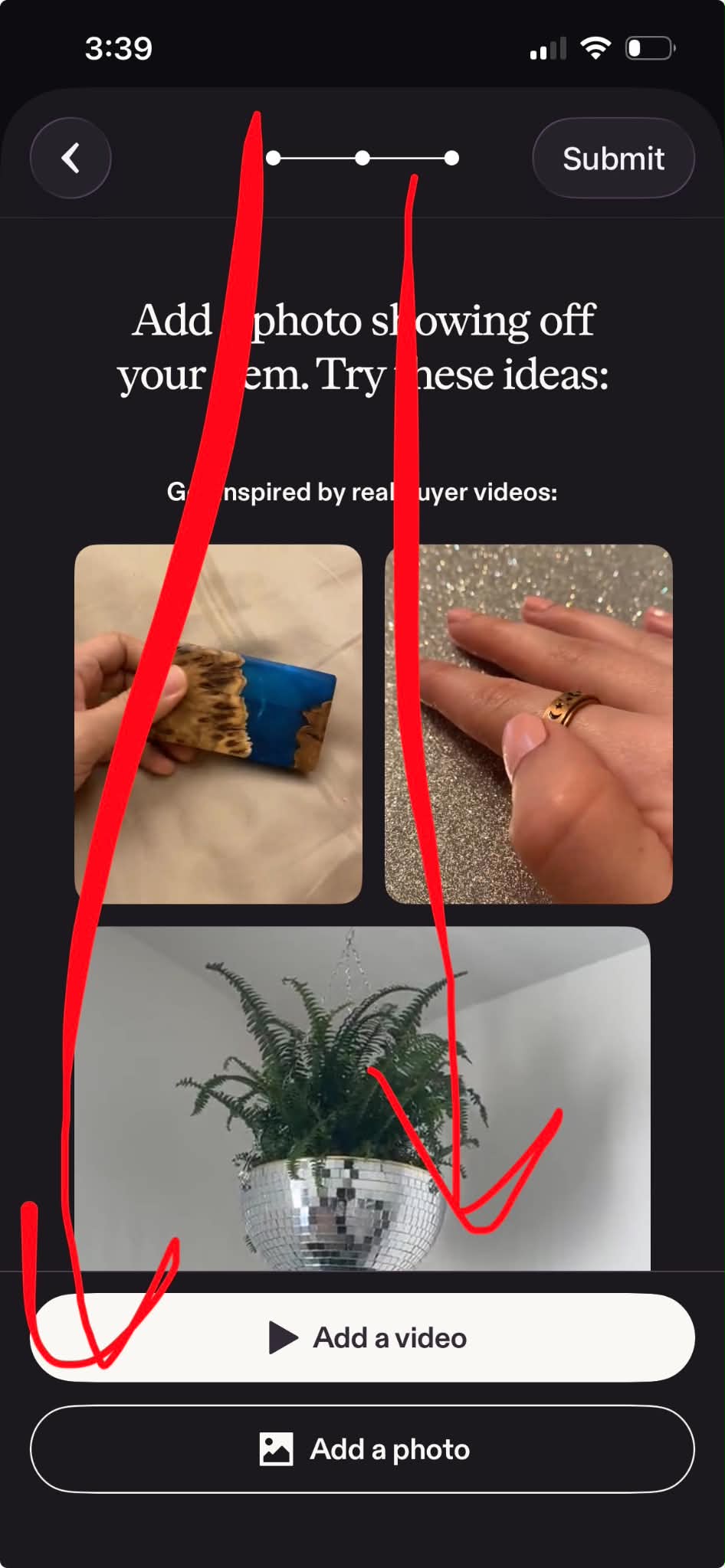
Step 2: Choose your SUITUX item, tap “Add a photo” (or “Add a video”), then tap “Submit”
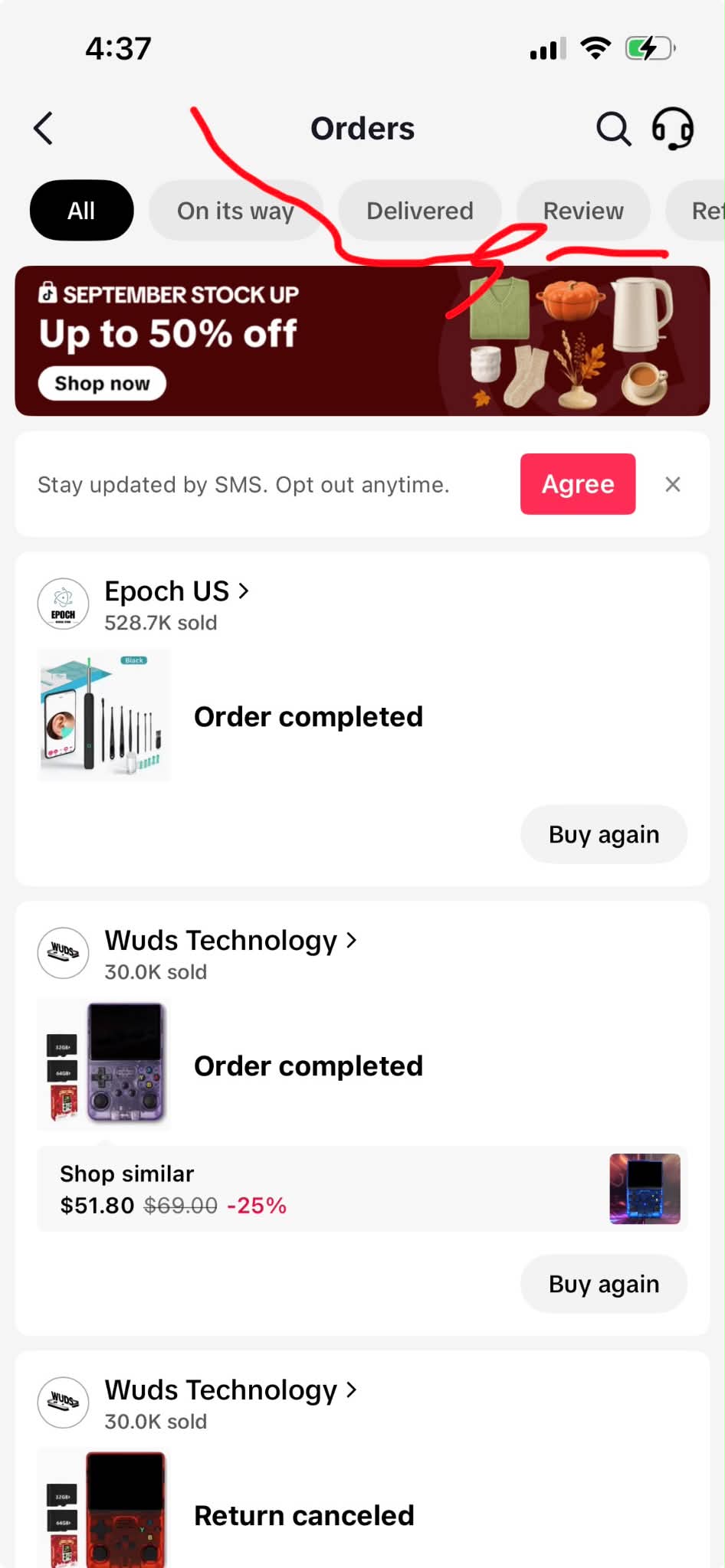
TikTok Shop (2 steps)
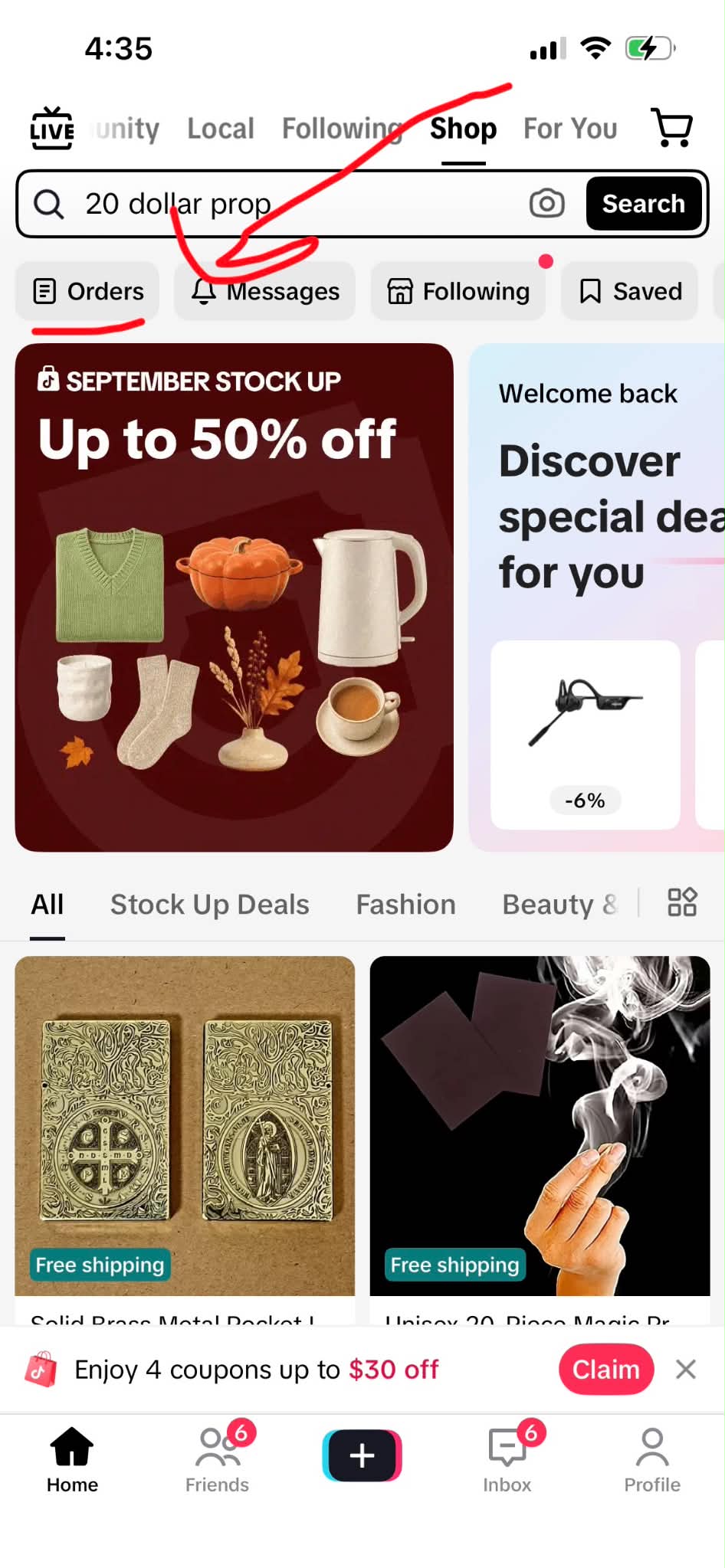
Step 1: Open TikTok, tap “Shop” at the top, then tap “Orders”
Step 2: Tap the “Review” tab, find your SUITUX order, add your photos and submit
Questions? Just reply to our message and we’ll help. Thank you for supporting SUITUX!